
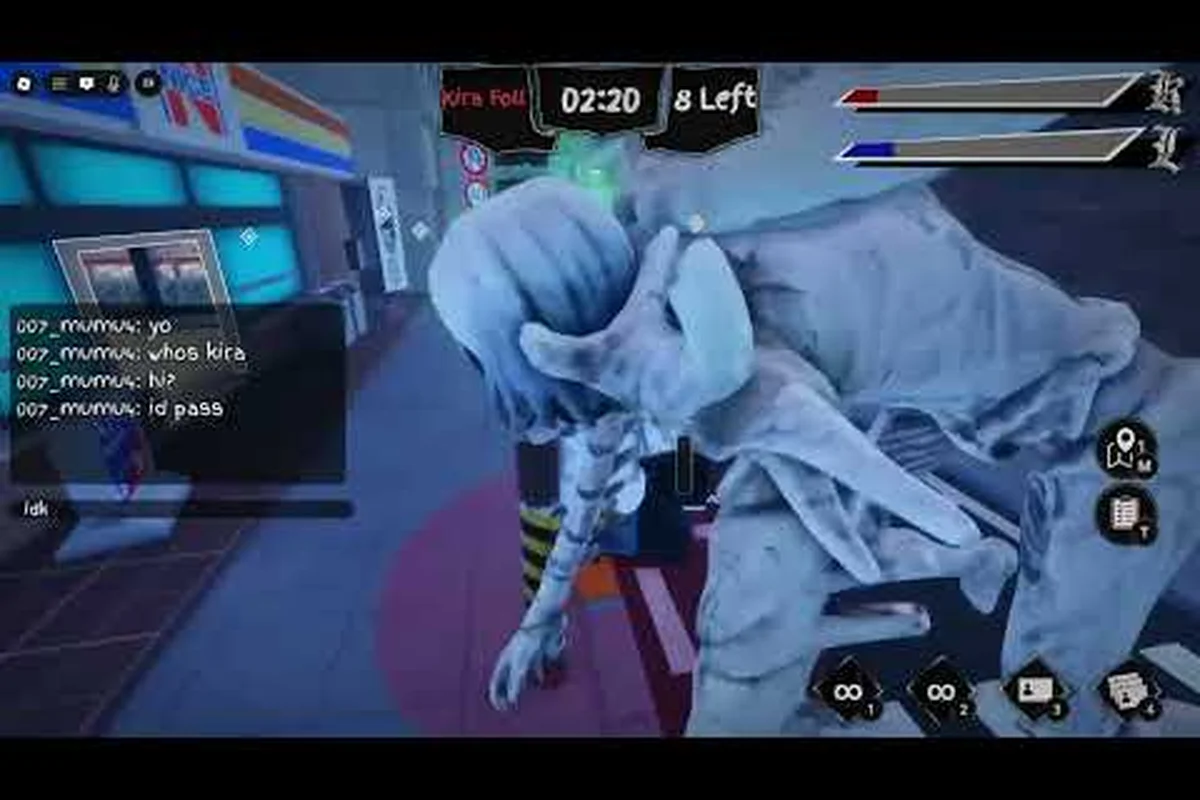
Tracking down every task in BloxNote can feel like chasing a moving target because the social deduction layer keeps the task list out of sync with what your role actually needs. This guide delivers a complete BloxNote all tasks catalog with map locations, completion order, and the upload and wiring tasks broken down step by step so you stop guessing and start finishing the meter faster. Use the BloxNote on Roblox official page as a quick cross-check whenever a task name shifts between patches.
How BloxNote Tasks Work and Why the Order Matters
Tasks are the Investigator side's primary win condition: complete enough of them and the team triggers a voting showdown that can end the round before Kira lands a kill. Every Investigator spawns with a personal task list drawn from a shared pool, which means two Investigators in the same lobby can see entirely different prompts. According to the official BloxNote Roblox page, the title is still labeled an early-version social deduction game, and the task pool is one of the systems most likely to change between hotfixes, so treat the list below as a verified snapshot from September 2026 rather than a permanent roster.
The core loop is straightforward once you internalize it: open your task panel, walk to the task location marker on screen, interact with the object, and survive long enough for the task meter to fill. Because Kira and Kira Follower can watch your movement, the order in which you clear tasks is a strategic decision rather than a checklist. Players reported in community testing that spreading tasks across both floors of the Kira Apartment map reduces the chance of being cornered mid-interaction, because a cluster of unfinished tasks in one wing makes you predictable. The same logic explains why a BloxNote all tasks route almost always beats a closest-task-first route for solo queue.
Task Categories and Role Eligibility
BloxNote task list entries fall into three behavior buckets, and knowing which bucket a task belongs to dictates how risky it is to run it in the open. The table below summarizes every active task category, the role that can perform it, and the rough time cost reported by players.
| Category | Example Tasks | Eligible Role | Average Time | Risk Level |
|---|---|---|---|---|
| Upload tasks | Upload Files, Upload Report | Investigator | 12-18 sec | Medium |
| Wiring tasks | Wires, Wiring, Fix Wiring | Investigator | 20-30 sec | High |
| Item delivery | Package Drop, Delivery Run | Investigator | 15-22 sec | Low |
| Mini-game tasks | Card Swipe, Keypad Hack | Investigator | 8-14 sec | Low |
| Map-based fetch | Retrieve Notebook, Scan Room | Investigator | 10-16 sec | High |
Wiring tasks sit at the top of the risk column because you stand still facing a panel for the full duration. Upload tasks are the next riskiest because the file prompt locks your camera, and an experienced Kira can read the stationary aim and close the gap. Mini-game tasks sit at the bottom because you can usually complete them while drifting toward cover.
BloxNote Task List: Every Active Task and Where to Find It
The current BloxNote task list includes roughly a dozen rotating prompts that get reshuffled between rounds, and the seven below are the ones that show up in almost every match according to community data from the September 2026 build. Pair this list with the broader role explainer in the BloxNote all roles breakdown if you need a refresher on why only Investigator sees these prompts.
| Task Name | Location | Object Type | Duration | Notes |
|---|---|---|---|---|
| Upload Files | Server Room (2F) | Computer terminal | ~15 sec | Faces east; vulnerable while uploading |
| Wires | Electrical Room (B1) | Fuse panel | ~25 sec | Color-match minigame with 3-4 wires |
| Wiring | Hallway Junction (1F) | Wall panel | ~22 sec | Easier color match than B1 variant |
| Fix Wiring | Maintenance Closet (1F) | Junction box | ~28 sec | Highest wire count in the game |
| Card Swipe | Lobby (1F) | Door reader | ~10 sec | Swipe the keycard in the correct rhythm |
| Keypad Hack | Office (2F) | Wall keypad | ~12 sec | Enter a 4-digit code from on-screen clue |
| Package Drop | Loading Bay (1F exterior) | Crate | ~18 sec | Drop zone is partially exposed to windows |
| Retrieve Notebook | Study (2F) | Shelf | ~14 sec | The notebook is the Death Note prop itself |
| Scan Room | Any open room | Handheld scanner | ~10 sec | Sweep the camera in a full 360° arc |
| Delivery Run | Hallway (1F) | Cart | ~20 sec | Push the cart from storage to lobby |
The two columns most players skim past, Object Type and Duration, are the ones that actually matter. Duration tells you how long you are committing to a stationary animation, and object type tells you whether the task is one you can cancel mid-way if you hear footsteps. Wiring, Fix Wiring, and Wires are all cancelable with a quick button press, but the color-match progress resets, so canceling wastes time more often than it saves it.
Upload Tasks and the Server Room Hotspot
Upload tasks are the single most important BloxNote upload task entry to learn because they appear in almost every Investigator spawn. The Server Room sits on the second floor of the Kira Apartment, accessible by stairs at the east end of the lobby or by ladder from the rooftop balcony. Once inside, you interact with the computer terminal, a small file-select window pops up, and you drag three files from the left column to the right column before a progress bar completes.
The reason this task ends up in every BloxNote task list is that it combines a long animation with a fixed location, which gives Kira a perfect read on your position. Experienced Investigators use two mitigations: first, they peek the doorway before starting because the room only has one entry point, and second, they run upload tasks in pairs with a buddy so the second player can watch the door. Solo players should treat the upload animation as a 15-second vulnerability window and stack it with another task (such as Scan Room immediately after) so they are not camping the same room twice.
Players also report that the upload progress bar does not pause if you are hit, which means a single Kira strike will cancel the entire upload. The fastest counter is to finish the drag portion quickly so the bar is the only thing left when danger arrives.
Wiring Tasks and the Electrical Room Bottleneck
Wiring tasks are the BloxNote wires task and BloxNote wiring task content that most players associate with the early-game tutorial. The Electrical Room sits in the basement (B1) of the map and is reached by a stairwell next to the kitchen on the first floor. The panel presents three or four colored wires, and you have to click them in the sequence shown above the panel: red, blue, yellow, red in one example run.
Fix Wiring, the hardest variant, requires five wires in a specific order, and community testing suggests the success rate without a guide is around 35 percent on a first attempt. Memorizing the color order for each round is the only reliable way to cut that time down, and the BloxNote upcoming tasks overview suggests a future Wiring rework that will add a practice mode. For now, the only way to speedrun Fix Wiring is to treat it like a rhythm game: glance at the pattern, click the first color, and commit to the sequence without second-guessing.
The Electrical Room bottleneck gets worse in lobbies with three or more Investigators, because everyone sees the wires task on their personal list and they all queue into the same basement. If you arrive to find the room full, the smart play is to pivot to the Hallway Junction variant, which is a different panel with a shorter pattern and is rarely contested.
BloxNote Task Locations Map: Floor-by-Floor Breakdown
The Kira Apartment map is small enough to memorize in three or four rounds, but the BloxNote task locations matter because every room has a sightline to at least one other task area. The table below shows every active task spawn and which floor it lives on.
| Floor | Room | Tasks Available | Sightline To |
|---|---|---|---|
| B1 Basement | Electrical Room | Wires, Fix Wiring | Kitchen stairs |
| B1 Basement | Storage | Package prep, Delivery Run start | Back alley exit |
| 1F Ground | Lobby | Card Swipe, Delivery Run end | All four doors |
| 1F Ground | Kitchen | Wiring (secondary) | Electrical stairs |
| 1F Ground | Hallway Junction | Wiring | Stairwell |
| 1F Ground | Maintenance Closet | Fix Wiring, Scan Room | Side door |
| 1F Exterior | Loading Bay | Package Drop | East window |
| 2F Second | Server Room | Upload Files, Upload Report | Lobby balcony |
| 2F Second | Office | Keypad Hack, Scan Room | Server Room |
| 2F Second | Study | Retrieve Notebook | All 2F rooms |
The Study room is worth special attention because Retrieve Notebook is the only task that interacts with the actual Death Note prop. The notebook respawns every 60 seconds, and the task is only available to the player who has the notebook already in their inventory, which means the task is usually a free win for whoever picks up the prop first.
For a deeper dive into which tasks are the slowest to complete and how to route around them, the BloxNote hardest task explainer maps every room to its average clear time and shows which pathing choices save the most seconds per round.
BloxNote How to Complete Tasks: Step-by-Step Strategy
The fastest way to clear the BloxNote how to complete tasks loop is to stop treating tasks as a checklist and start treating them as a route. A route groups two or three tasks that share a hallway so you can clear them in a single sweep without doubling back through a dangerous doorway. The four-step approach below is the one that ranked players describe as the baseline for a sub-three-minute task clear.
Step 1: Open the Panel and Read the Map
The first 10 seconds of every round should be spent reading your personal task list and identifying the rooms that sit on the same floor. If you have two tasks on 1F and one on B1, the obvious play is to clear both 1F tasks first and then drop to the basement. If all three tasks are scattered, consider a U-shaped route that ends near a defensive corner so you can fake-task while waiting out the timer.
Step 2: Pair Upload and Wiring Tasks with Cover
Both upload and wiring tasks lock your camera for an extended period, so pair them with rooms that have a single entry point and a clear escape route. The Server Room and the Maintenance Closet are the two best examples because each has exactly one door, and you can plant yourself against the wall opposite the door so any attacker walks into your line of sight before reaching you.
Step 3: Use Scan Room as a Camouflage Tool
Scan Room is the only task that can be completed while moving, which makes it the perfect cover for a player who wants to look busy without committing to a stationary animation. Run Scan Room while drifting toward the room where you actually plan to do your next real task, and Kira will often pass you by because the scan animation reads as ordinary task behavior.
Step 4: Reset and Reset Again
If you get hit mid-task, the most common mistake is to panic-finish the task before moving to cover. The smarter play is to break off, find a defensive corner, and then return to the task once the threat clears. The BloxNote task tips guide goes deeper on this exact reset loop and shows how high-level players use it to bait Kira into overcommitting.
BloxNote Task Order: Recommended Completion Route
The order in which you clear your personal task list has a bigger effect on your survival than the speed at which you clear any individual task. The recommended BloxNote task order for a solo Investigator is to start with the safest, fastest tasks on your list and finish with the riskiest upload and wiring prompts, so your stationary time happens late in the round when fewer players are roaming.
| Priority | Task | Why This Slot | Typical Position in Route |
|---|---|---|---|
| 1 | Card Swipe | Fast, low-risk, teaches rhythm | First 30 sec |
| 2 | Scan Room | Mobile cover, sets up route | First minute |
| 3 | Keypad Hack | Short animation, 2F placement | Mid-round |
| 4 | Package Drop | Exterior, away from Kira patrol | Mid-round |
| 5 | Retrieve Notebook | Combines well with Study hiding spot | Late round |
| 6 | Wiring | Long animation, needs cover partner | Late round |
| 7 | Upload Files | Highest risk, needs distraction | Final 60 sec |
| 8 | Fix Wiring | Slowest, only when meter is almost full | Final 30 sec |
The exact order varies based on your spawn and the personal task list you draw, but the underlying rule is the same: short mobile tasks first, long stationary tasks last. That rule applies even if it means walking across the map twice, because the time you spend walking is far safer than the time you spend standing still.
For comparison, the BloxNote task bug and speedrun notes cover the rare cases where you can stack two tasks in the same room to cut travel time, and they explain which combinations are reliable versus which ones desync after a hotfix. For a visual reference, see the Death Note cast the task set draws from.
Frequently Asked Questions
How many tasks are in BloxNote right now?
The current BloxNote all tasks catalog includes ten active prompts spread across upload, wiring, mini-game, and map-fetch categories. The exact rotation shuffles each round, so you will usually see five or six of them on your personal list per match.
Where is the upload task in BloxNote?
The upload task lives in the Server Room on the second floor of the Kira Apartment map. Enter through the east lobby stairs or the rooftop ladder, interact with the computer terminal, and drag three files into the right column to start the progress bar.
What is the difference between Wires and Wiring in BloxNote?
Wires is the basement panel in the Electrical Room with three to four color matches, while Wiring is the first-floor Hallway Junction panel with a shorter pattern. Fix Wiring is a separate harder variant in the Maintenance Closet that requires five wires in a specific order.
Can Kira see which task you are doing in BloxNote?
Kira cannot read your task panel, but they can see the on-screen animation and your stationary position, which usually reveals which room you are in. Pairing upload or wiring tasks with cover or a partner is the only safe way to clear them under pressure.
How do I complete tasks faster in BloxNote?
Memorize the color patterns for wiring tasks, run upload tasks in pairs with a buddy, and route your tasks so short mobile prompts come first. Stacking Scan Room with travel time is the cheapest speed boost available to solo players.